
From a selfie to 1920, 1970 or 15,000 BC
Erafy is an iPhone app. Pick a selfie and a year, and Erafy makes a new picture from your selfie in that year's style: a 1920s street portrait, a 1970s snapshot, a Tudor painting, a cave painting.

Free to download · iPhone · 18+

After: 1900, a Paris boulevard.
Nobody in the examples is a real person — the before photos are invented faces. These are our best results, not average ones. Sometimes AI can't handle it and modifies your face. All we can offer is a try.
Every photographic era, 1900 to 2025

Black and white
1900
Early roll film, black and white
The same woman in every year, with that year's camera, clothes and setting. Drag to compare.
Every year has its own cameras and films: the grain, the colour, the flash, the date stamp. For each picture Erafy picks one of them at random, so the same year can come back a little different each time.
Black and white
glass plates, roll film
-
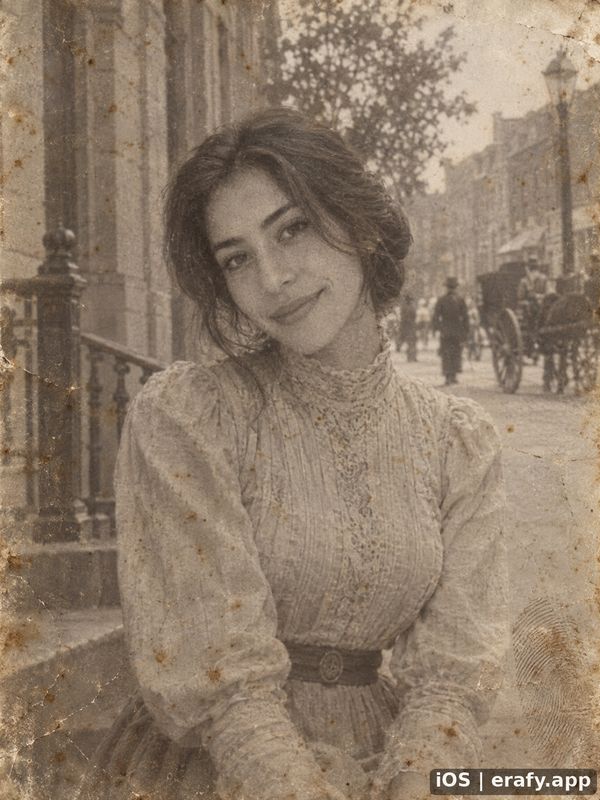 1900 Early roll film, black and white
-
 1910 Glass plates, film packs and early colour plates
-
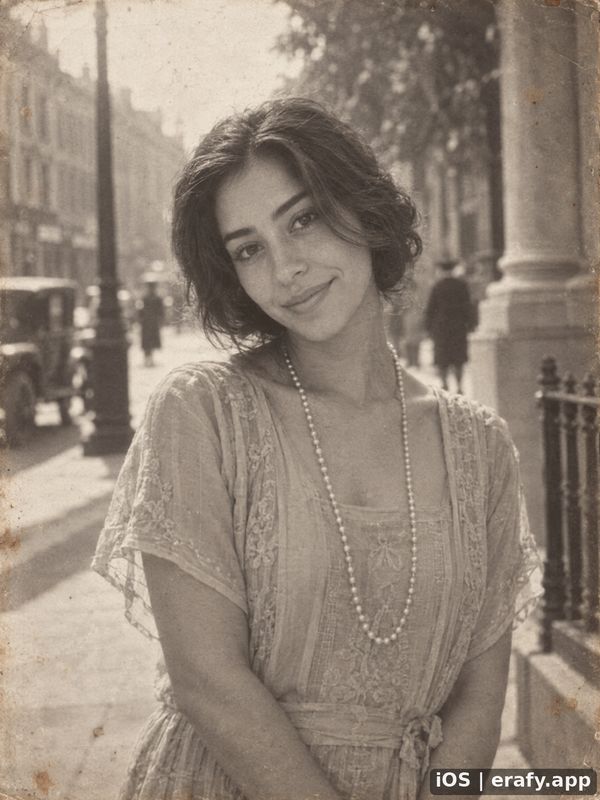 1920 Orthochromatic black and white
-
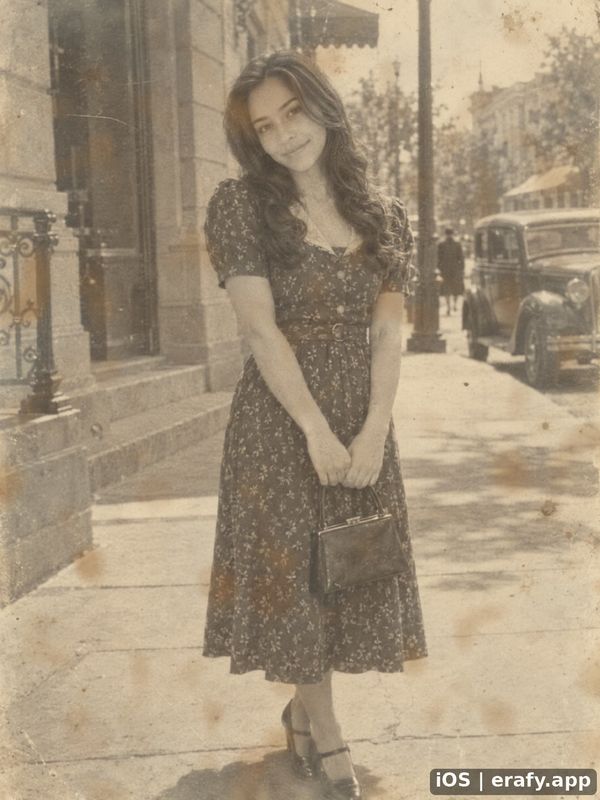 1930 Roll-film snapshots
-
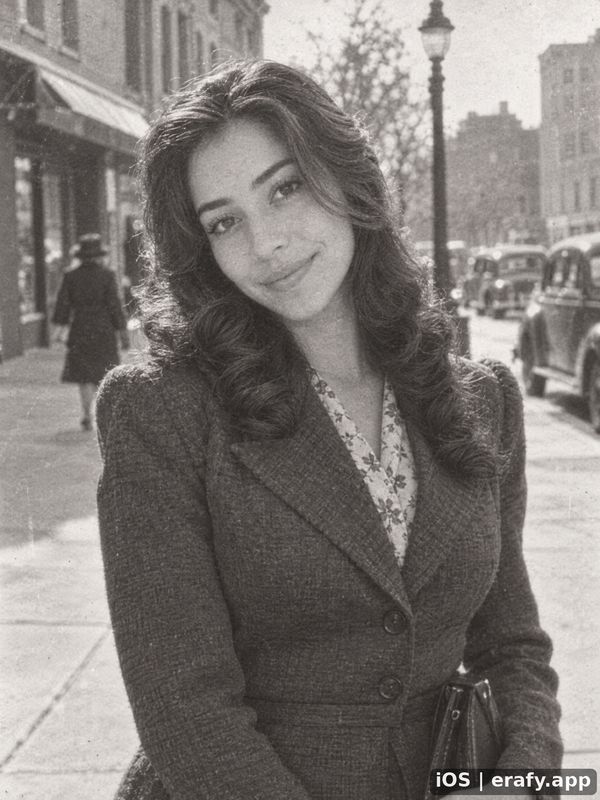 1940 Wartime black and white


Colour film
prints, flash, faded dye
-
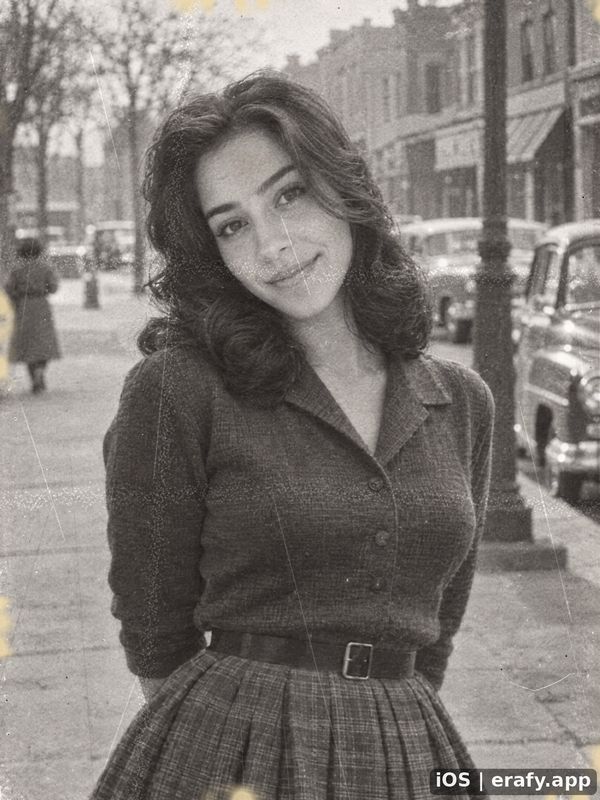 1950 Black and white, and the first colour
-
 1960 Colour slides and black and white
-
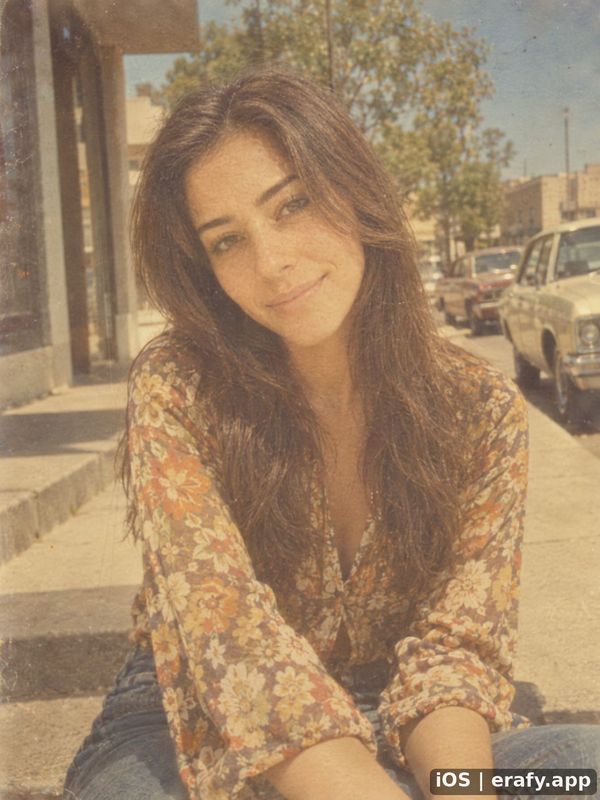 1970 Warm, faded colour film
-
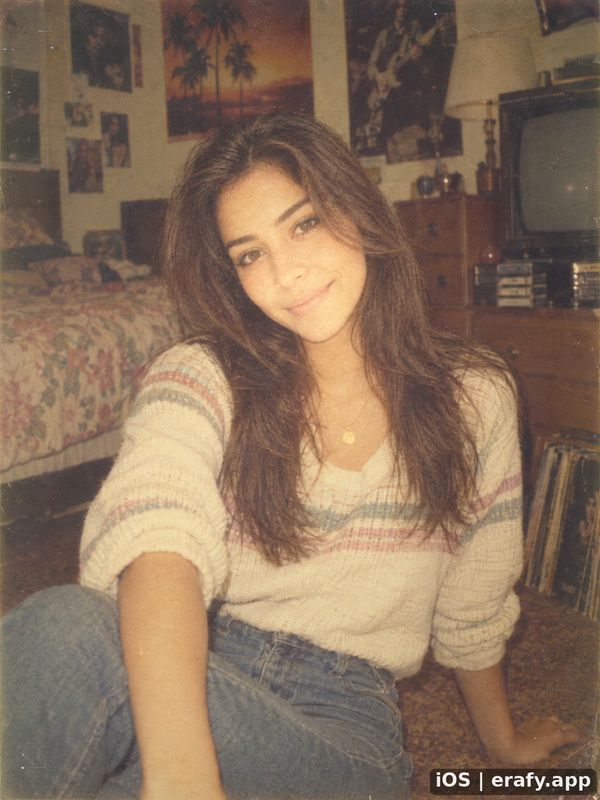 1980 35 mm colour, pocket cameras, flash
-
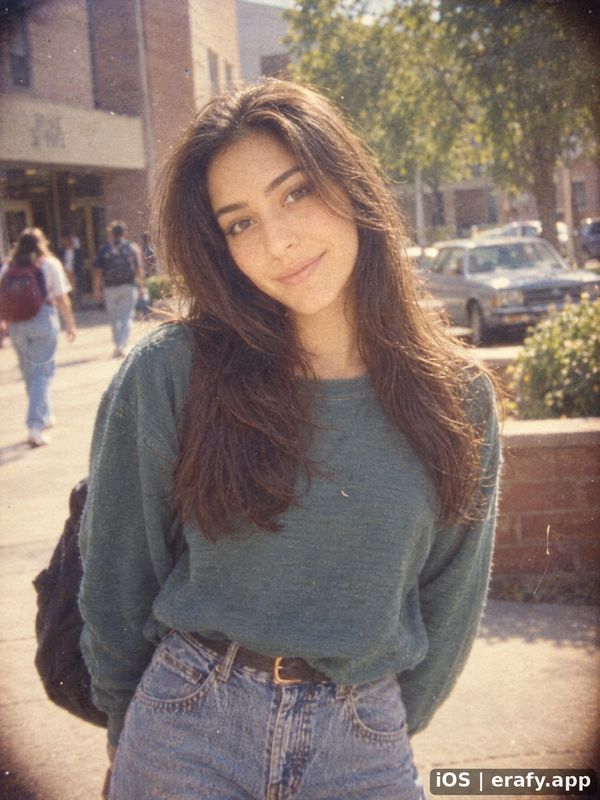 1990 Drugstore colour film and disposables


Digital
digital cameras, then phones
-
 2000 Date stamps and the first digital cameras
-
 2010 Early phone cameras
-
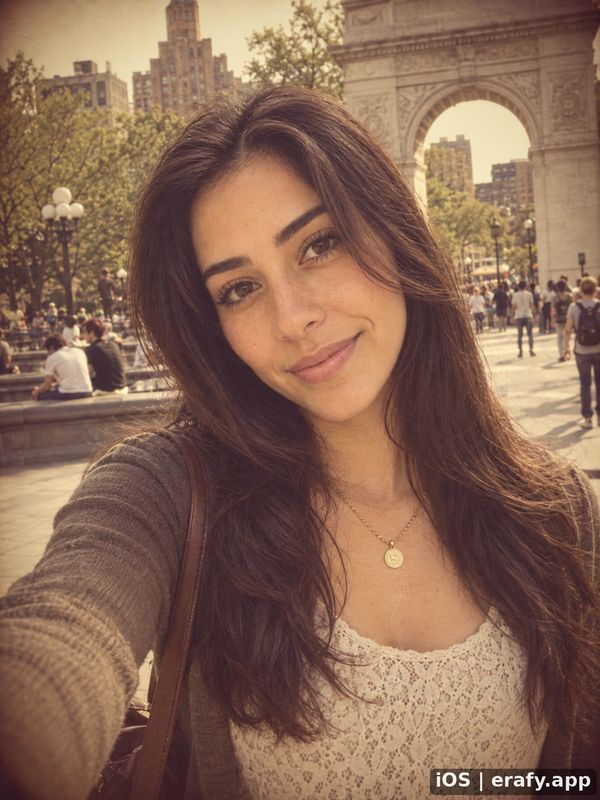 2013 Retro filter apps
-
 2016 Phone portrait mode
-
 2019 Night mode and ultrawide
-
 2022 The modern phone camera
-
 2025 Today's phones


Put yourself in a scene
Situation is on unless you turn it off. Erafy then places you in a scene from the year you picked: a 1920s picnic, a 1950s diner, a 1990s office. Some scenes add people around you, such as friends or a partner. Turn Situation off to keep your own pose and framing, as in the pictures above.

Situation on, 1900 to 2025
1900
Paris boulevard
A scene from each of fifteen years. Every year has its own scenes. Drag to compare.
-
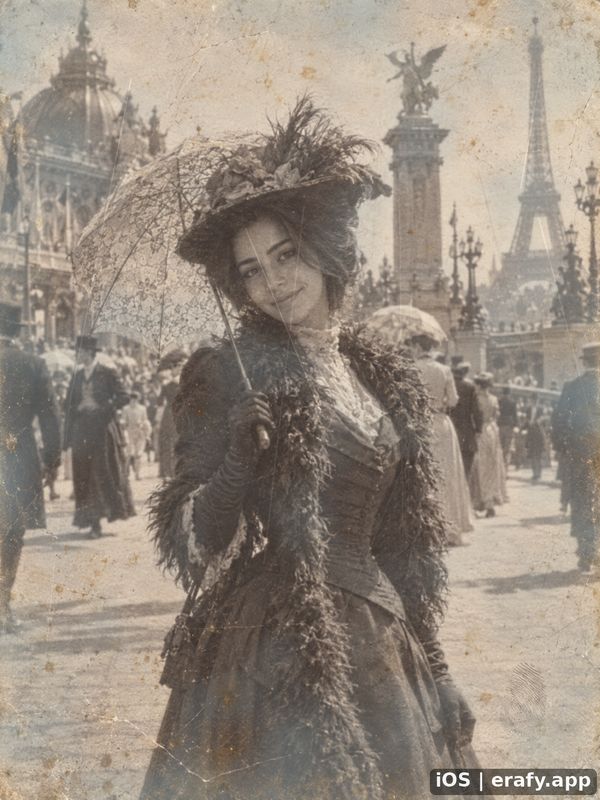 1900 Paris boulevard
-
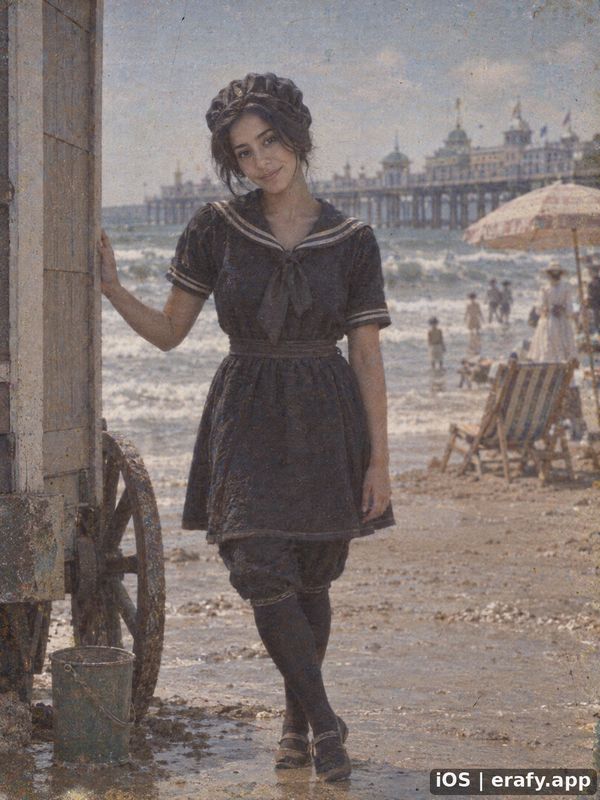 1910 Seaside
-
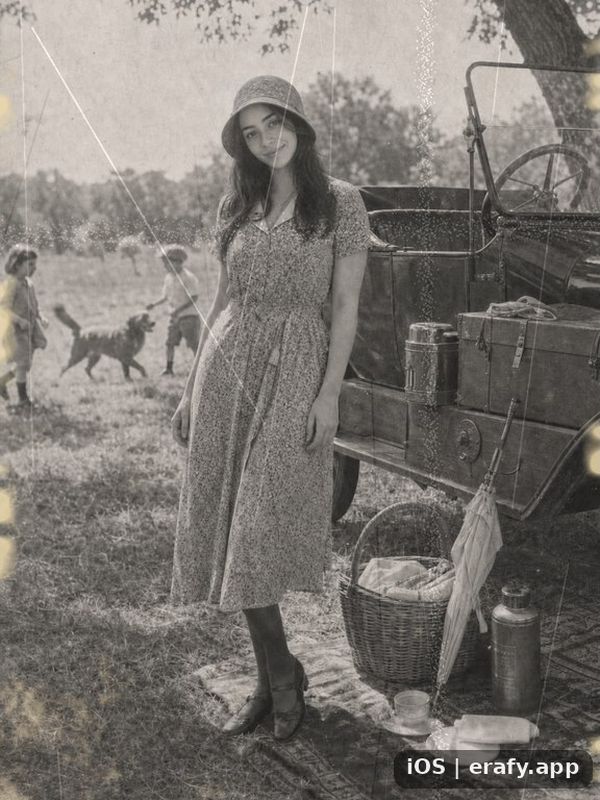 1920 Picnic
-
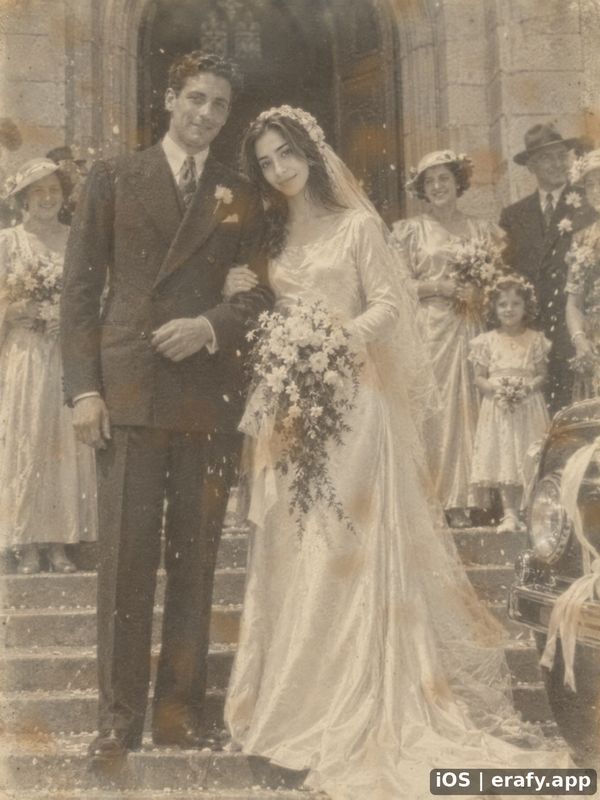 1930 Wedding
-
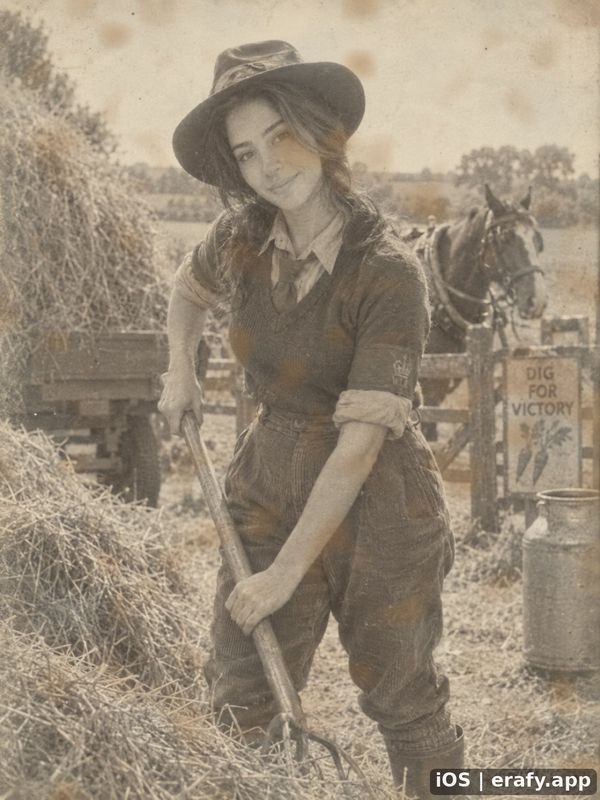 1940 Farm
-
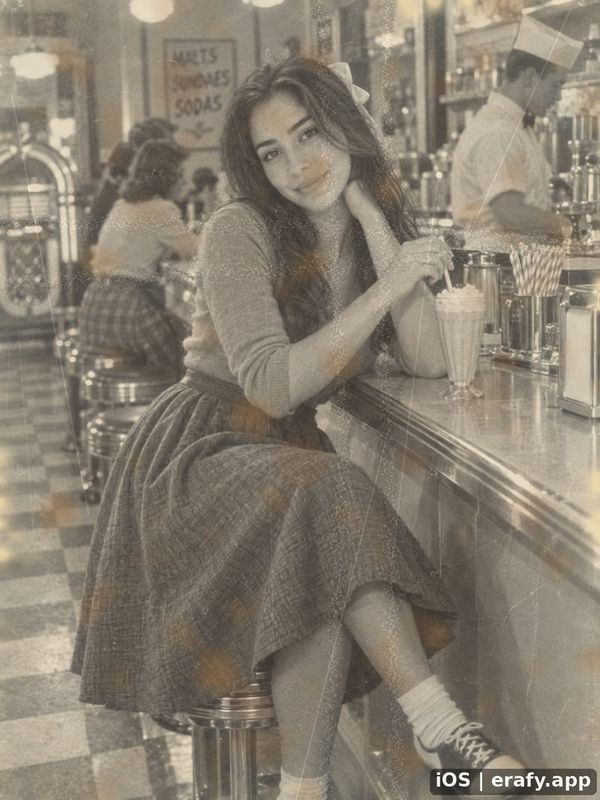 1950 Diner
-
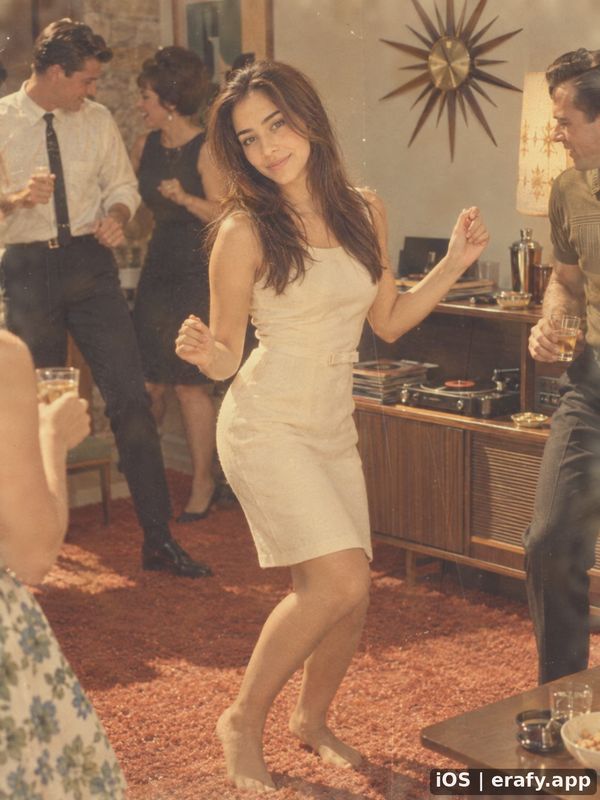 1960 House party
-
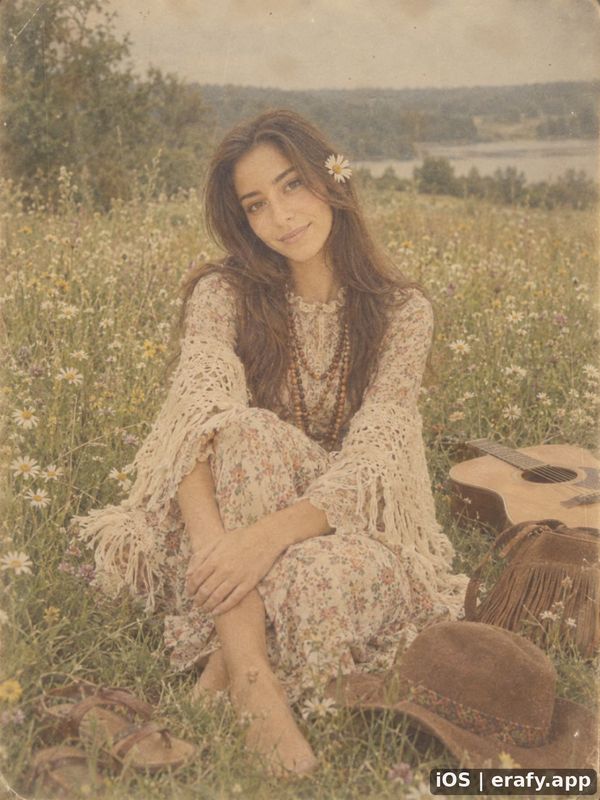 1970 Meadow
-
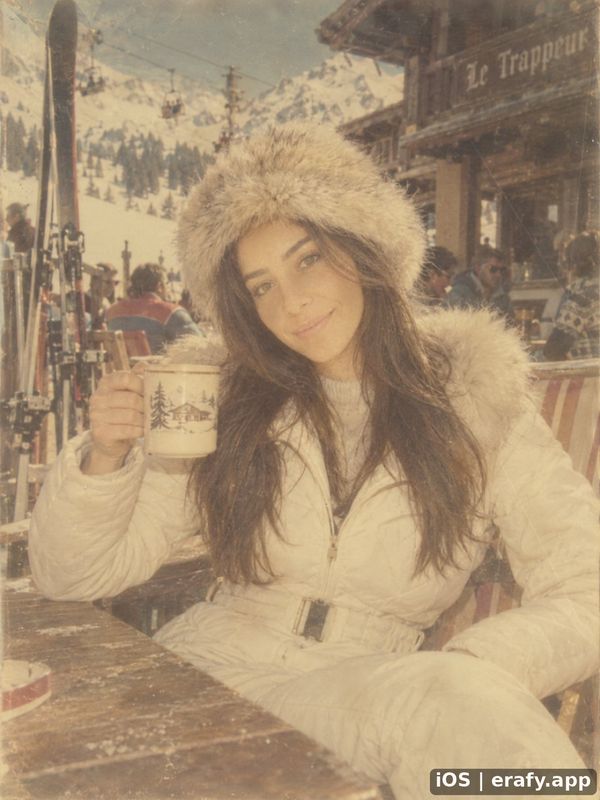 1980 Ski lodge
-
 1990 Office
-
 2010 Café bar
-
 2016 Group selfie
-
 2019 Engagement
-
 2022 Brunch
-
 2025 Paris street


Pick a look
A look is what you wear and who you are: royalty, a knight, a goth or a clown, in whatever year you picked.
- Royalty
- Knight
- Court dress
- Aristocrat
- Servant
- Peasant
- Goth
- Emo
- Alt
- Rockstar
- Doctor
- Scientist
- Inventor
- Detective
- Aviator
- Chef
- Clown
- Ghost
- Strongman
- Fortune teller
- Pet as a person

Five looks on the same woman, all at 1910.
-
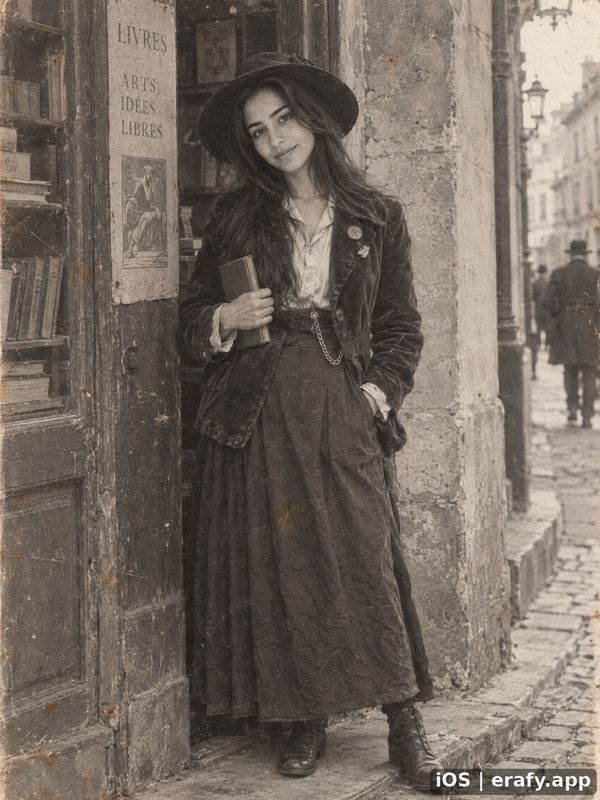 Alt 1910
-
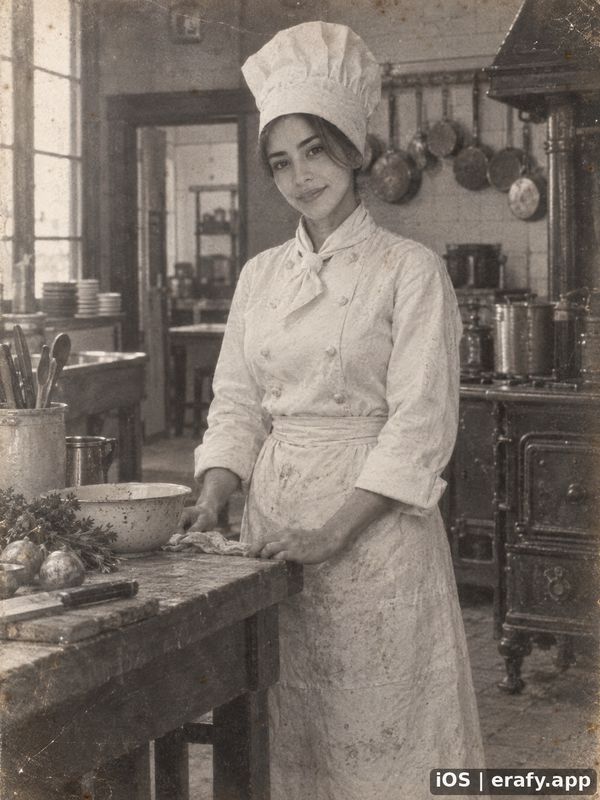 Chef 1910
-
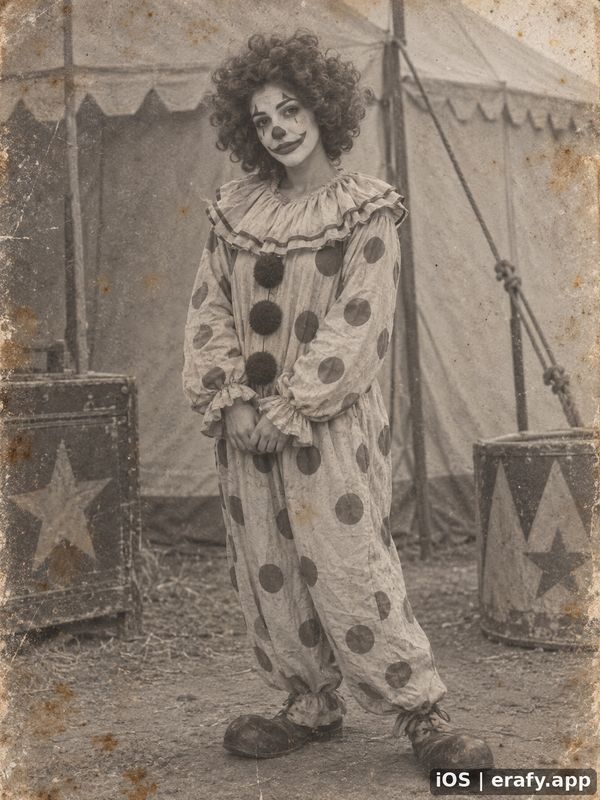 Clown 1910
-
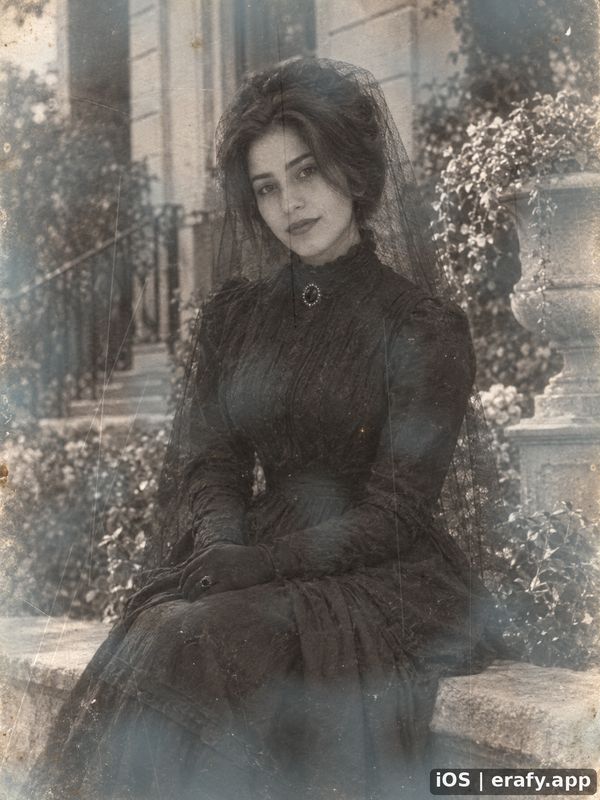 Goth 1910
-
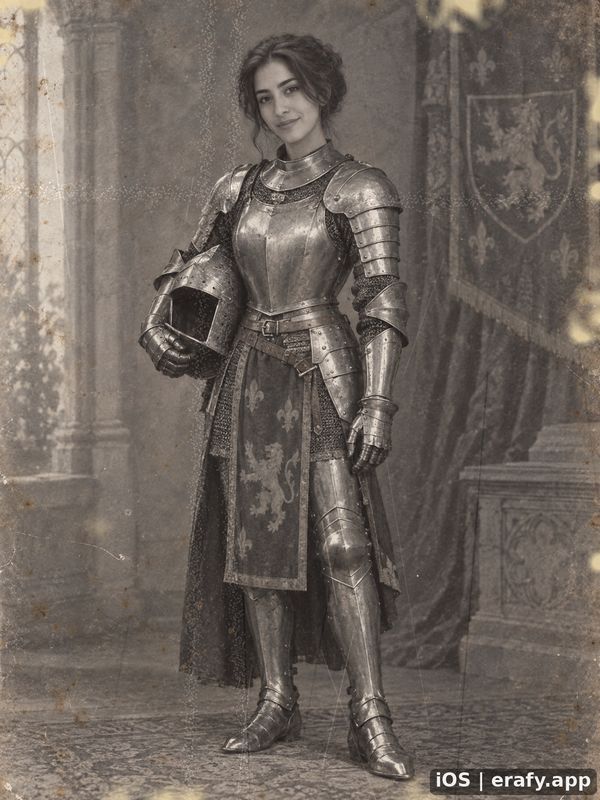 Knight 1910


Make it move
Turn any picture Erafy makes into a short video: 6, 8, 10 or 12 seconds, looping or not. Like the picture, the video is made new each time, so a face can drift, the movement can be small, and shapes can morph.
-
1900 · Paris · six seconds, silent
-
1900 · Portrait · six seconds, silent
-
1900 · Couple · six seconds, silent
-
1910 · Royalty · six seconds, silent
-
1910 · Hedgehog as a person · six seconds, silent
Couples and groups
Photos of two people, or a whole group, work too. With Situation on, choose who's in the photo (a man, a woman, a couple or a group, or leave it at Anyone), and Erafy picks a scene made for them.


The same couple, 1900 to 2025
1900
Seaside
Fifteen years of the same couple. Drag to compare.
Before photography
For the years before 1900, Erafy makes a painting, carving, embroidery or print of you instead of a photograph. Pick one of twenty crafts, from cave painting to Impressionism. Faces are drawn in the craft's style, so the result may resemble you less than a photograph would.

Stone and clay
15,000 BC
Cave painting
Twenty crafts, oldest first. Drag to compare.
Stone and clay
cave wall, tomb, vase, terracotta
-
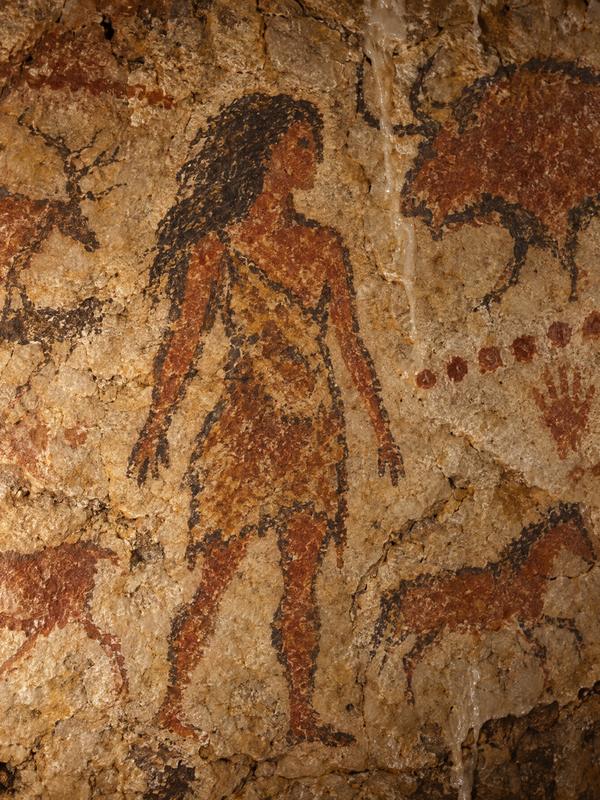
Cave painting
around 15,000 BC -
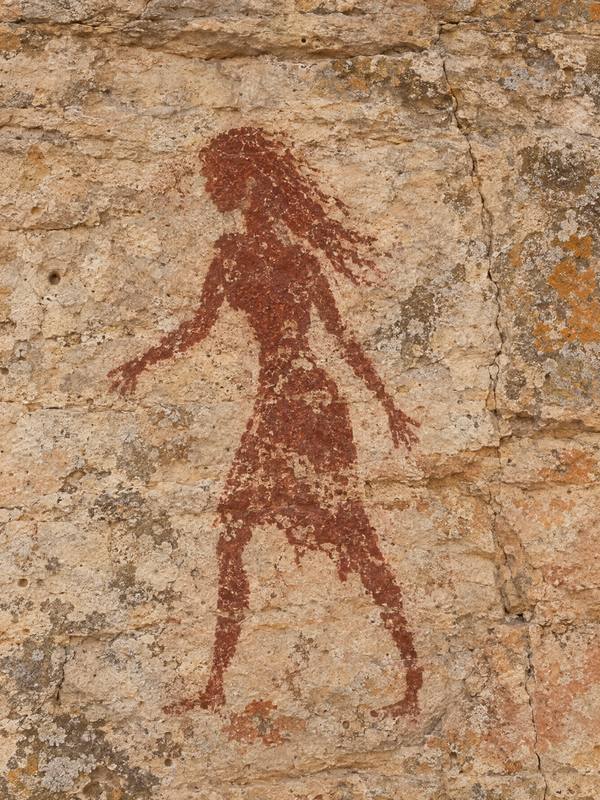
Levantine rock art
around 6000 BC -
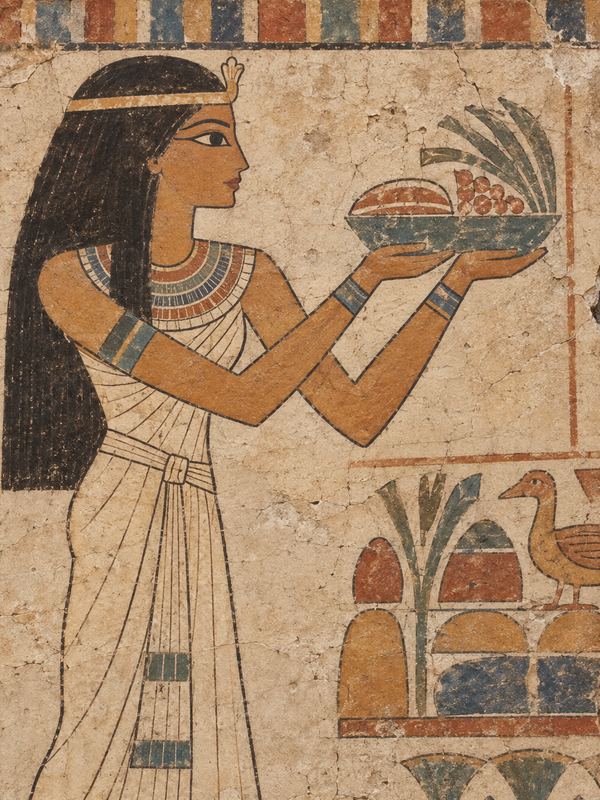
Egyptian tomb painting
around 2400 BC -
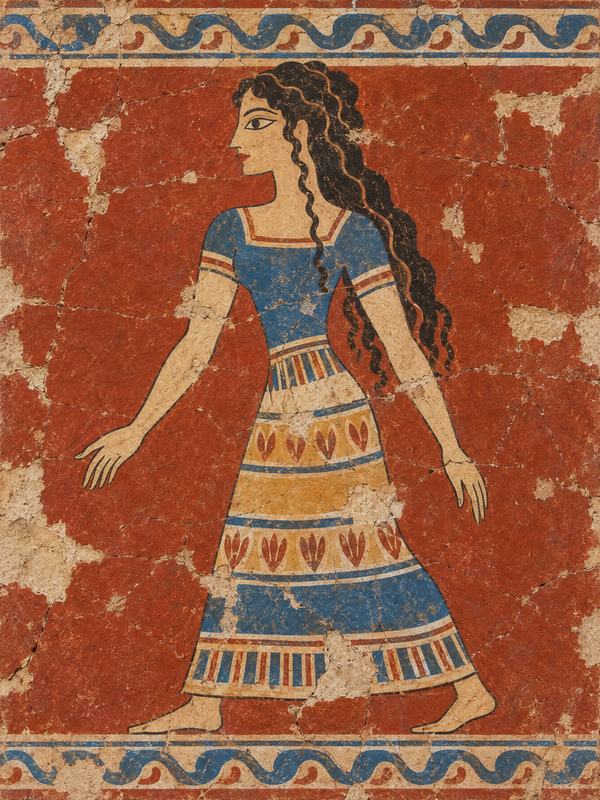
Minoan fresco
around 1600 BC -
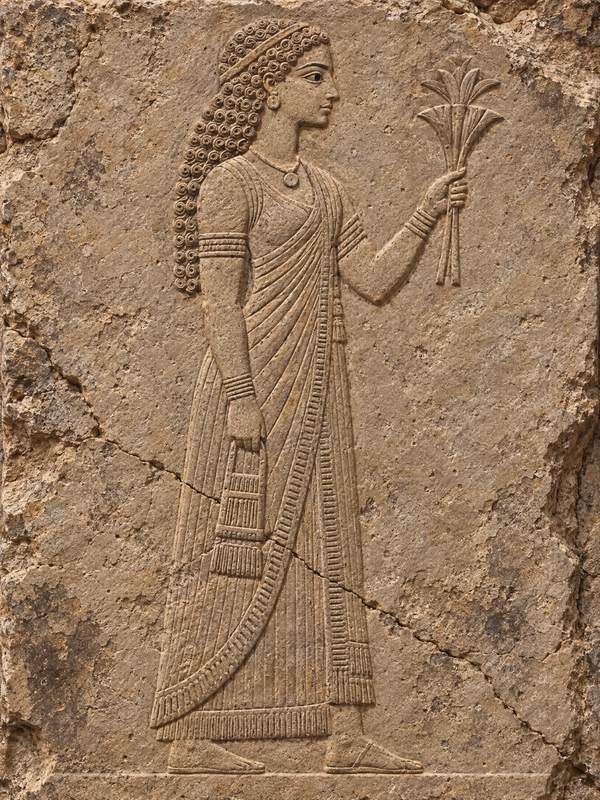
Assyrian palace relief
around 700 BC -
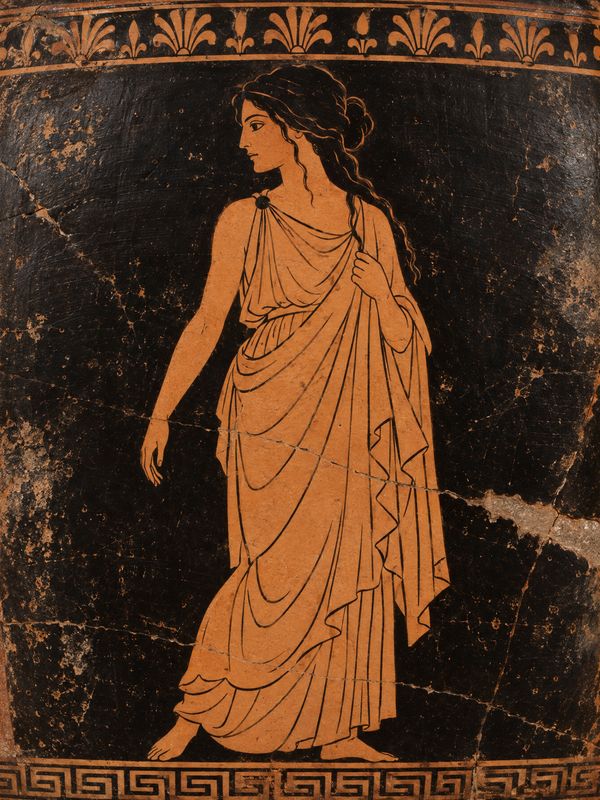
Greek vase painting
around 450 BC -
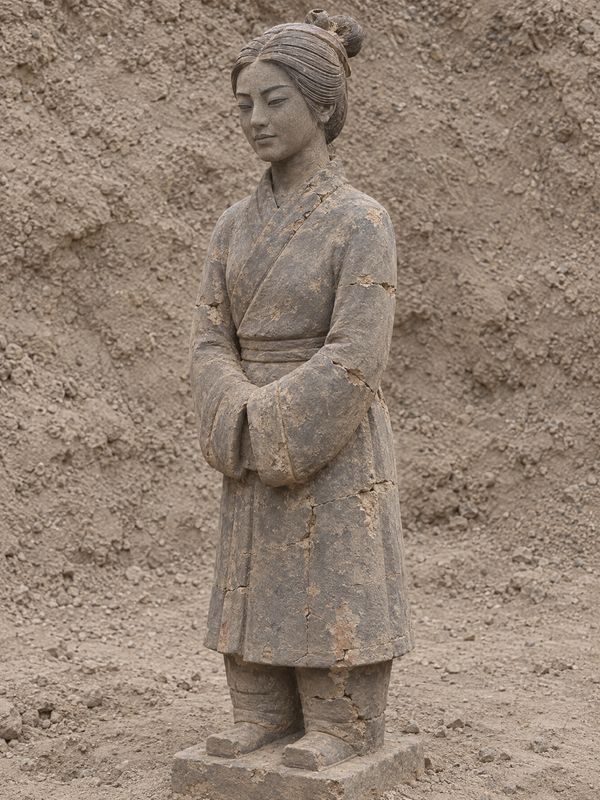
Terracotta army
around 220 BC


Panel, silk and thread
panel, silk, embroidery, scroll
-
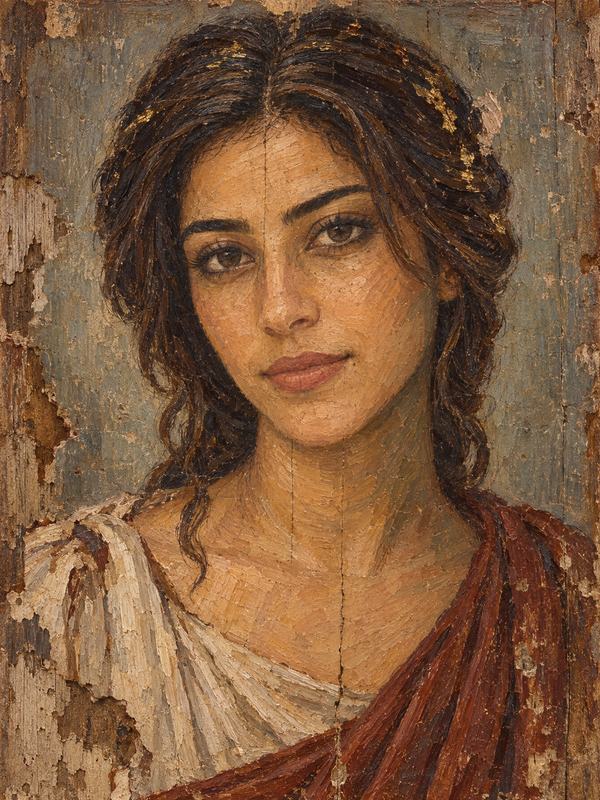
Fayum mummy portrait
AD 150 -

Tang court painting
AD 750 -
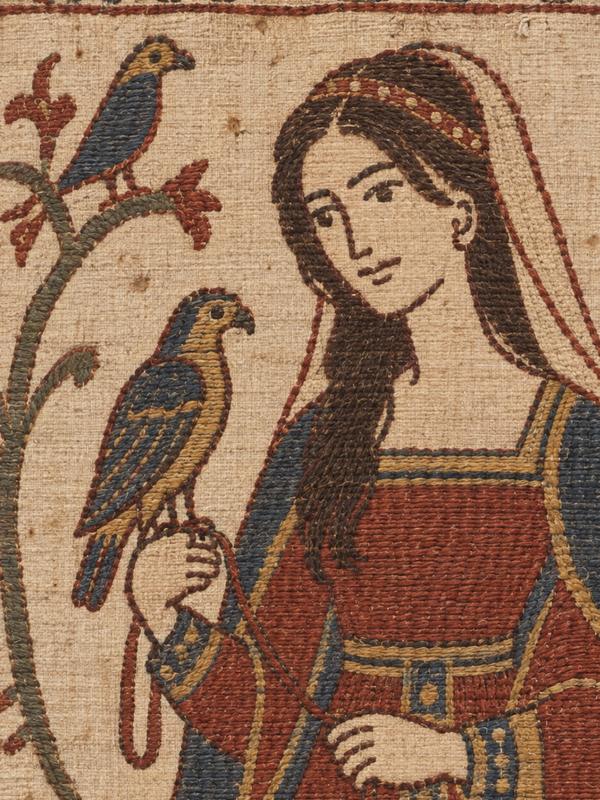
Bayeux embroidery
1075 -

Japanese handscroll
1200 -

Japanese likeness portrait
1340


Painted and printed
oil, chalk, woodblock, engraving, lithograph
-
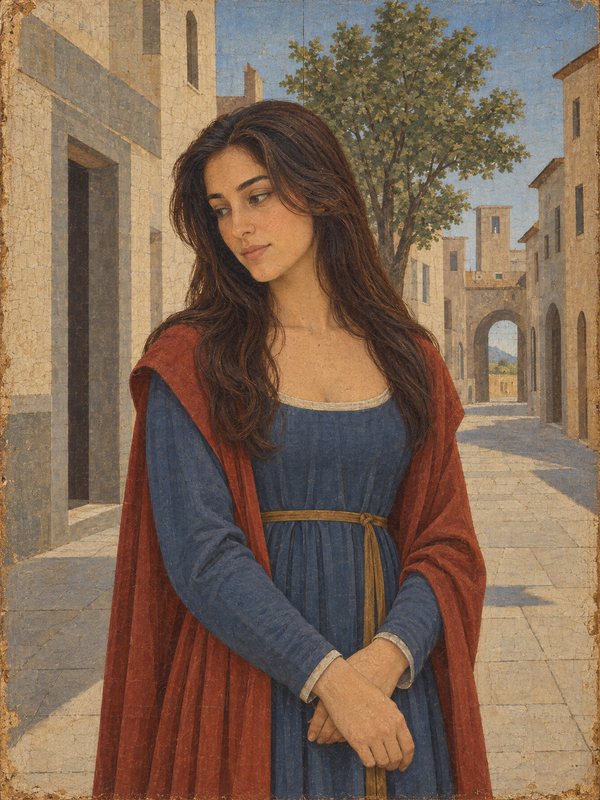
Quattrocento painting
1480 -
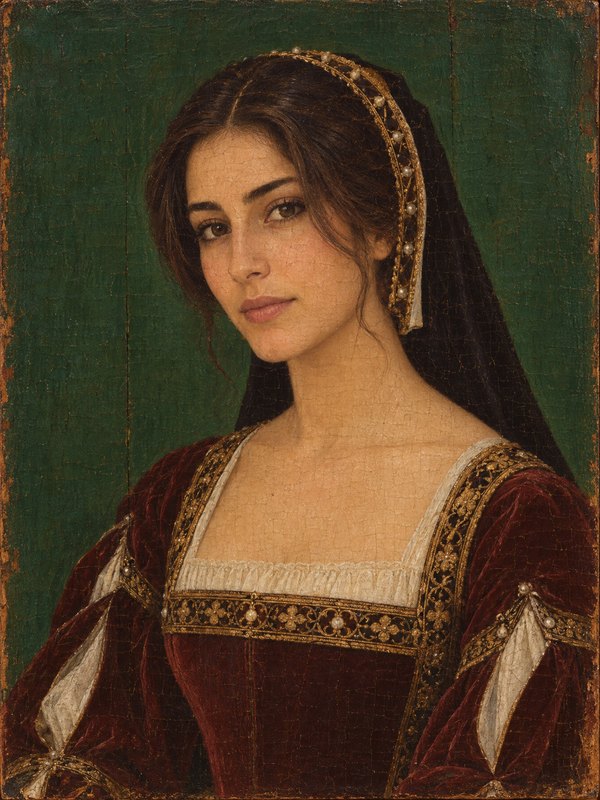
Holbein Tudor portrait
1535 -
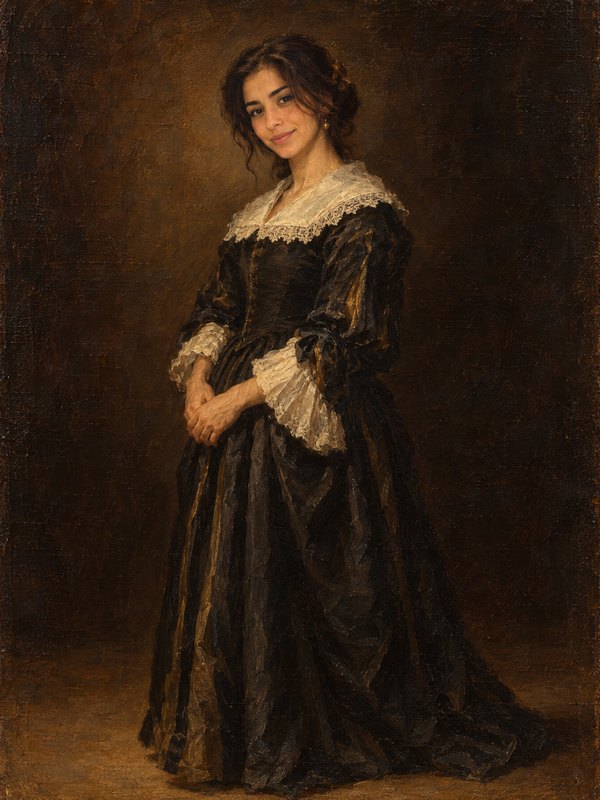
Dutch Golden Age portrait
1640 -
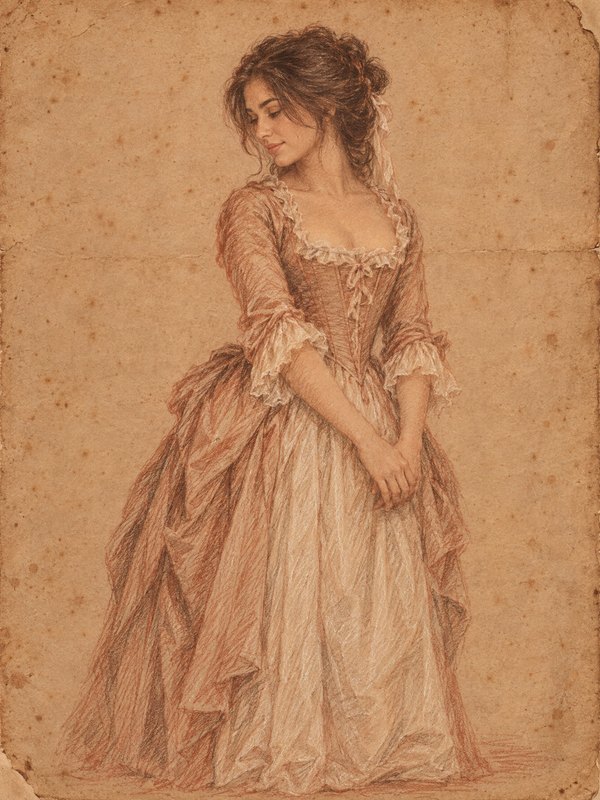
Rococo
1760 -

Hokusai woodblock print
1832 -
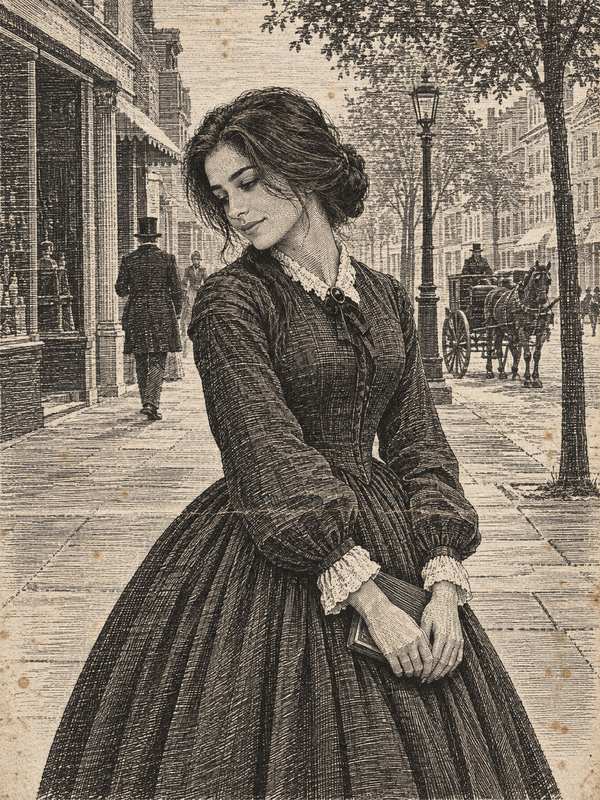
Wood engraving
1850 -
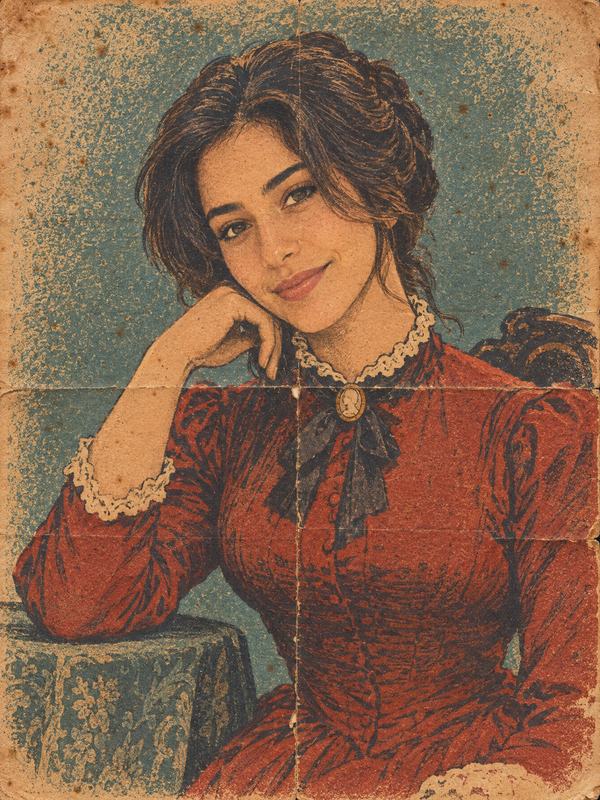
Chromolithograph poster
1868 -
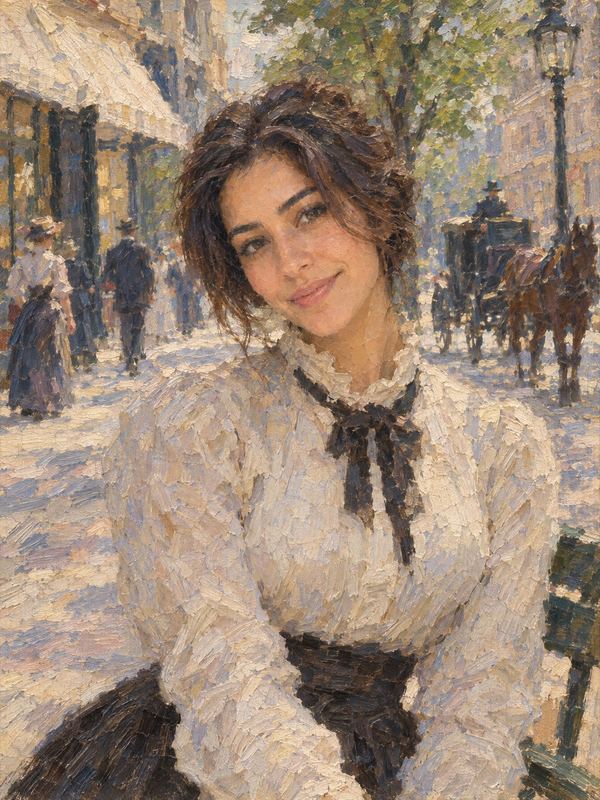
Impressionist painting
1880


Your pet, as a person
Pick a photo of your pet (a cat, a dog, a rabbit, a lizard, even a frog or a hedgehog) and choose the Pet as a person look. Your pet appears as a person from the year you picked, with its own animal head. Use a photo of one animal, facing the camera.
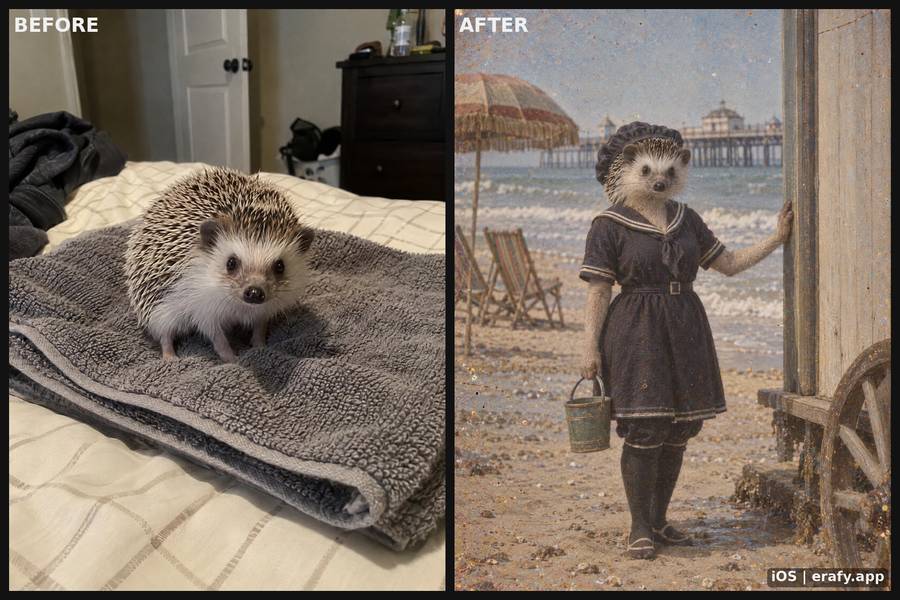 Hedgehog, 1910
-
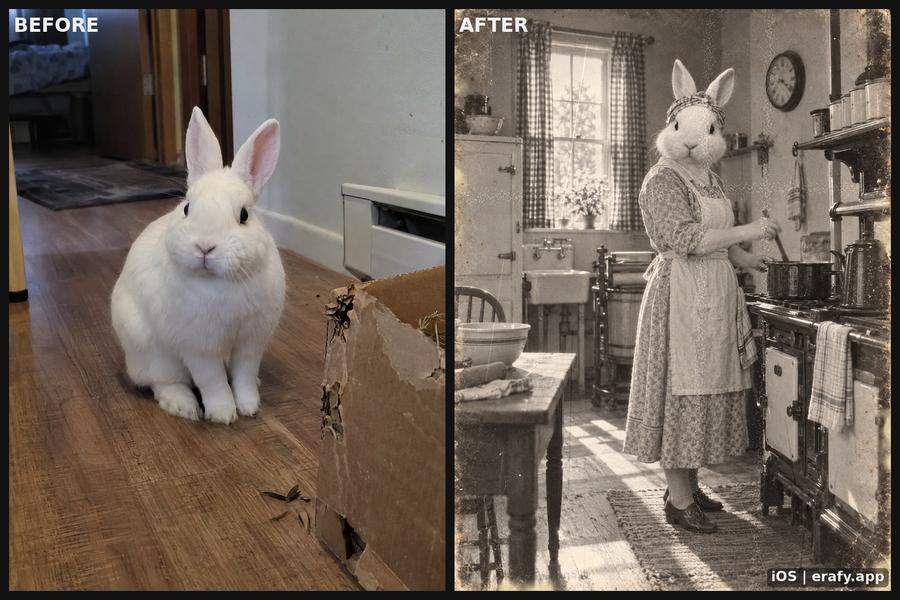 White bunny, 1920
-
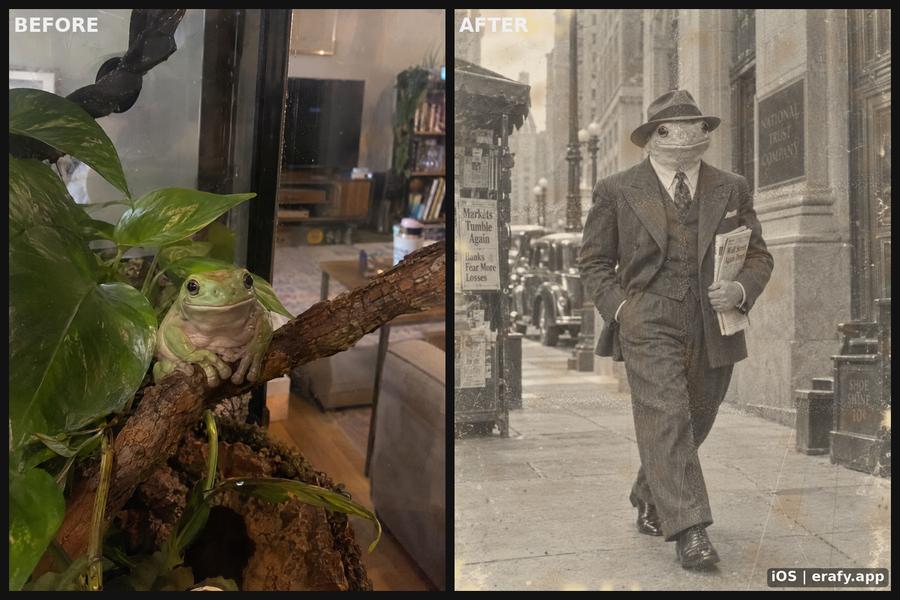 Tree frog, 1930
-
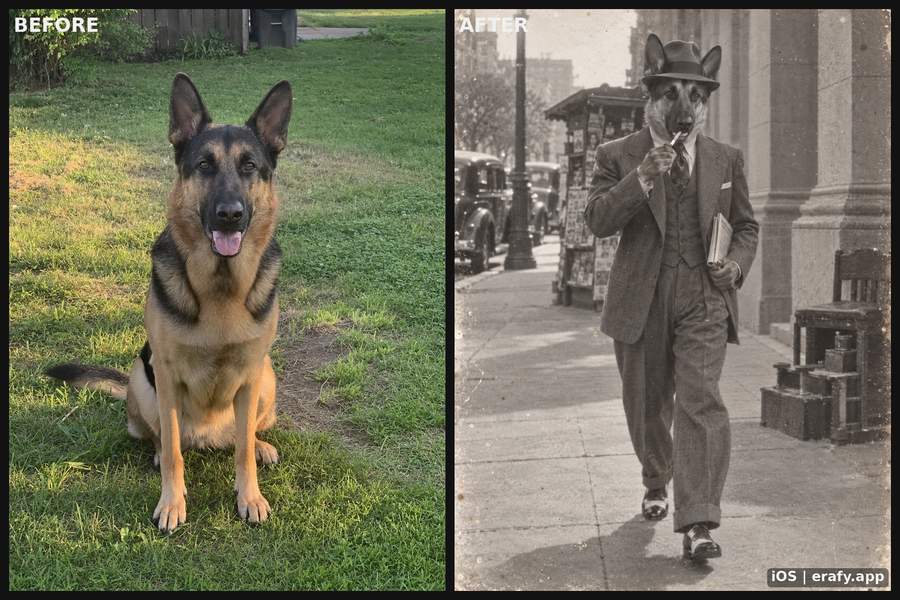 German shepherd, 1940
-
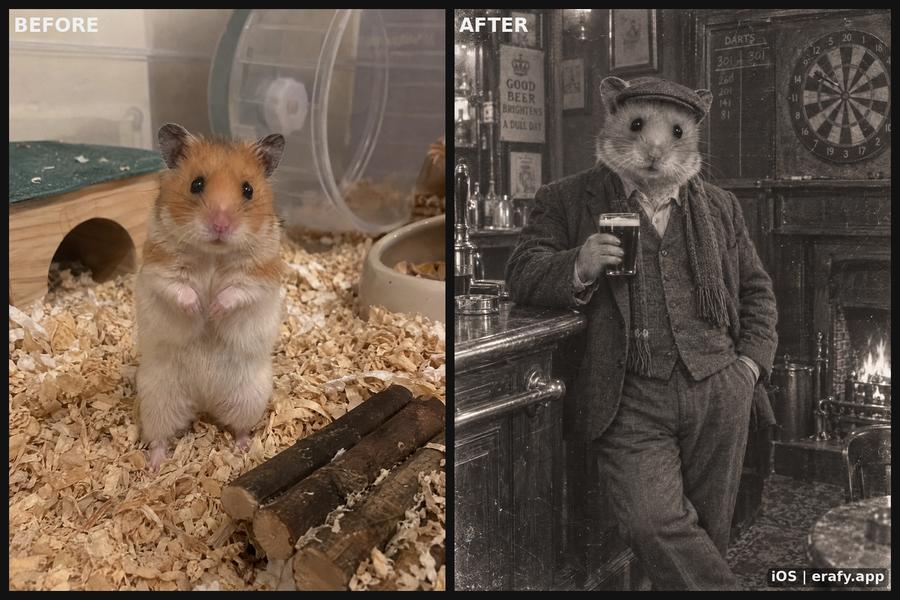 Hamster, 1950
-
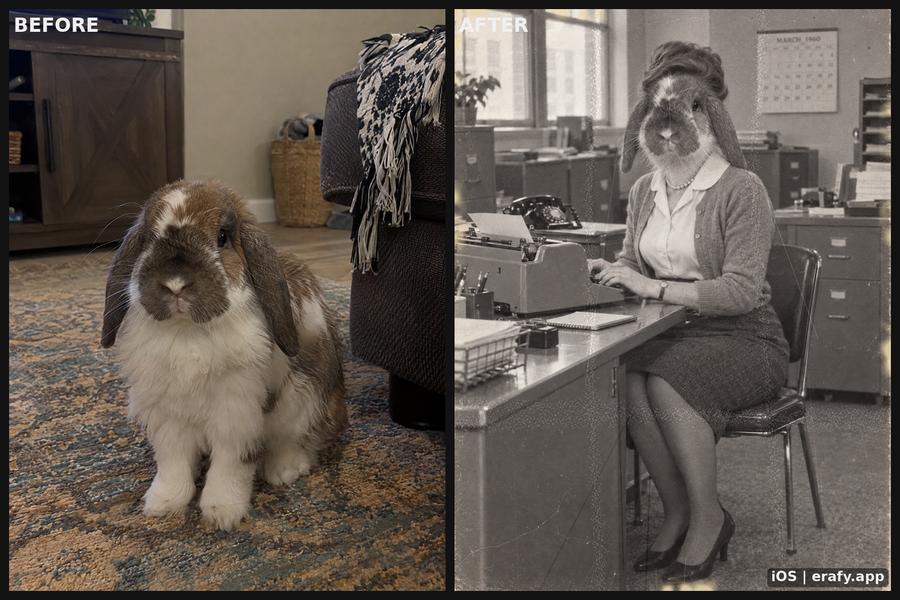 Lop bunny, 1960
-
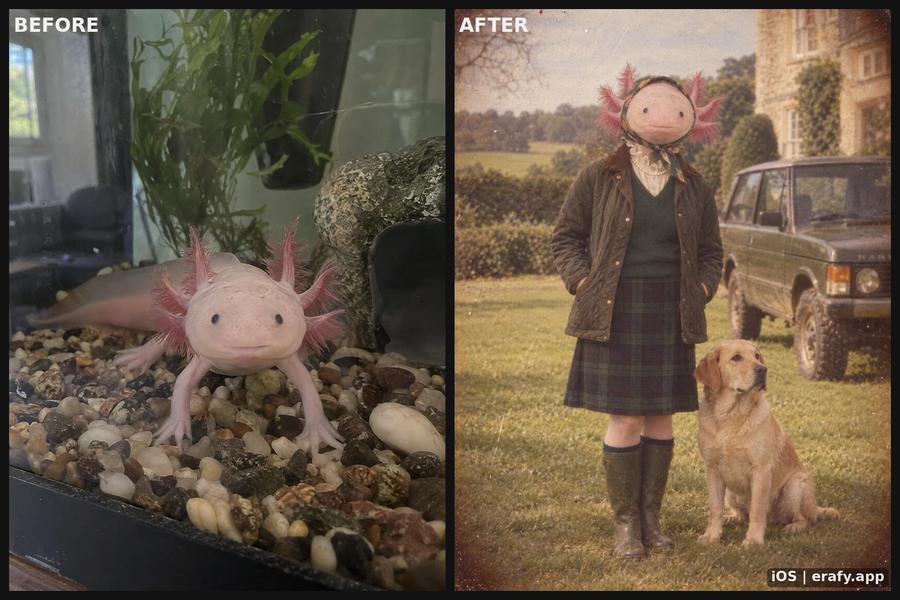 Axolotl, 1980
-
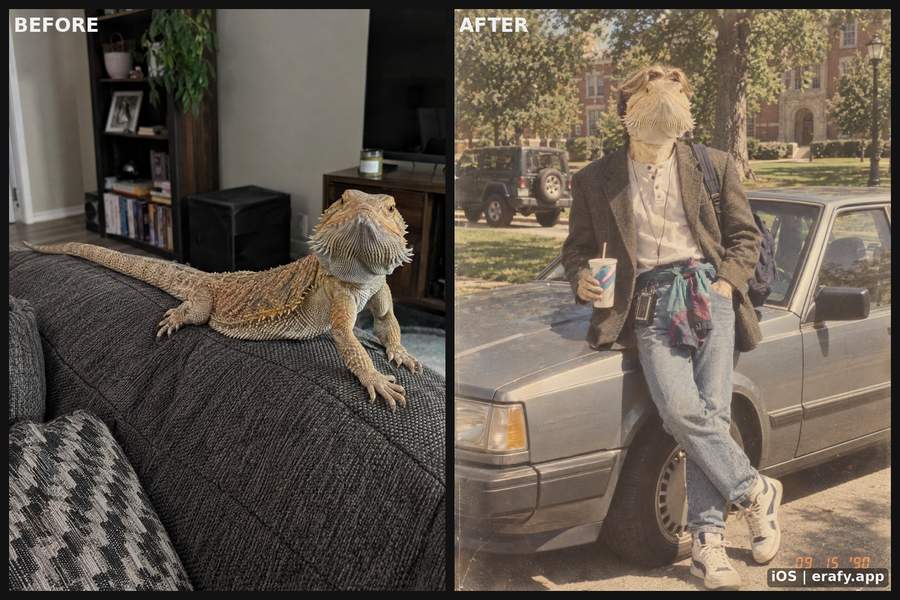 Bearded dragon, 1990
-
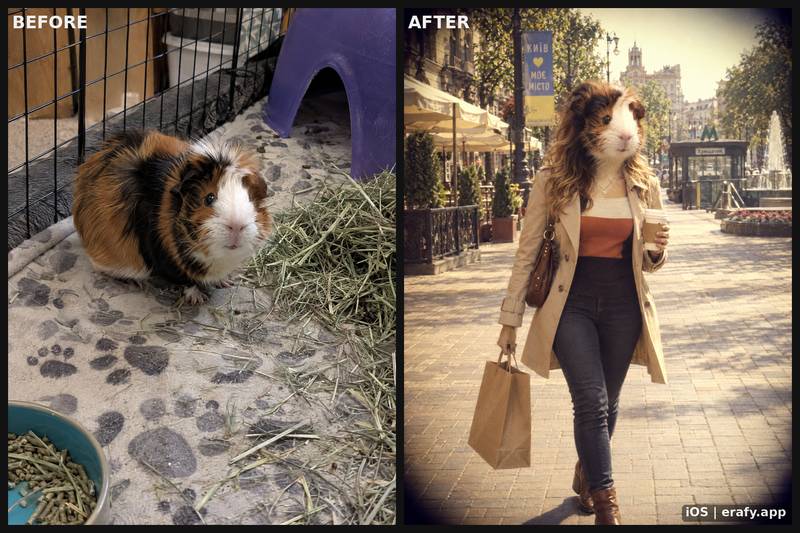 Guinea pig, 2010
-
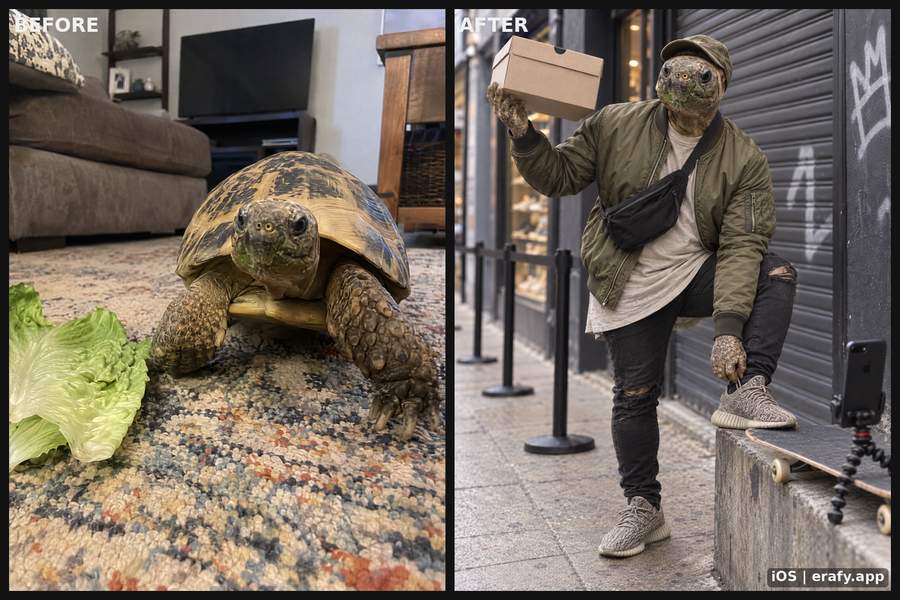 Tortoise, 2016


How it works
-
Pick a photo.
Choose one from Photos with Apple's photo picker, or take a new one. Erafy sees only the photo you pick.
-
Pick a year.
One of seventeen years with a camera, from 1900 to 2025, or one of twenty crafts for the years before 1900, back to 15,000 BC.
-
Tap Generate.
Your picture usually arrives in a minute or two, with a before-and-after beside it. Save it to Photos or share it.
Before you tap, you can choose who's in the photo, turn Situation off, or pick a look. You can also pick several photos and looks at once, and get a picture of each photo in each look. Afterwards, you can turn any picture into a short video.
What happens to your photo and your data
- It goes to a third-party AI service that makes your result. We never use it to train anything.
- The moment a generated picture or video reaches your phone, we delete it and the photo you sent; if the app does not fetch it within 24 hours, we delete it then.
- The AI service may keep a copy for up to 30 days for its safety checks, or longer if the law requires it.
- You sign in with Apple, and the app never sends us your name.
- We use no analytics, advertising or tracking tools.
- Delete your account any time, in the app's Settings.
What it costs
Free to download. Pictures and videos cost credits, which you buy in the app through Apple; Apple shows the price. No subscription.
New accounts get free credits to try Erafy, once per Apple ID.
Credits don't expire. If generating a picture or video fails, the credits you spent on it are refunded automatically.
Questions
What would I look like in the 1920s?
Erafy makes a new picture from your photo in the style of the year you pick, so how much it resembles you varies from one go to the next. It varies most in the black-and-white years and in the crafts before 1900, where faces are drawn in the craft's style. We make no promise about how any result will look.
Is it a filter?
No. A filter changes the photo you have. Erafy makes a new picture: a photograph in that year's style for the years since 1900, or a painting, print or other hand-made picture for the years before 1900.
How long does it take?
Usually a minute or two for a picture.
Which years can I pick?
Seventeen years with a camera: every ten years from 1900 to 2010, then 2013, 2016, 2019, 2022 and 2025. And twenty crafts for the years before 1900, from cave painting around 15,000 BC to Impressionist painting in 1880.
Does it work with couples, groups and pets?
Yes. Photos of couples and groups work with Situation on or off; with it on, choose who's in the photo so the scene fits them. For a pet, choose the Pet as a person look.
Can I use a photo of someone else?
Only photos you have the right to use, of people who agreed.
What happens to my photo?
It goes to a third-party AI service that makes your result. Our servers keep it only until your result is on your phone, 24 hours at most. The AI service may keep a copy for up to 30 days for its safety checks, or longer if the law requires it. Details are in the Privacy Policy.
Where are my pictures kept?
On your phone, in the app. Once they are there we have no copy, so save the ones you want to keep to Photos.
Is there a watermark?
Yes. Every picture carries a small Erafy mark in its bottom-right corner, with a short code beside it that identifies the picture if you write to us about it. What you make is yours to keep, post or sell, but the mark may not be removed.
How much does it cost?
The app is free to download. Pictures and videos cost credits, which you buy in the app through Apple, and Apple shows the price there. New accounts get free credits to try it. No subscription.
Is Erafy on Android?
No. Erafy is an iPhone app.
Where can I get it?
On the App Store in the United States, Canada, Australia, New Zealand, Singapore and Switzerland.
Who can use Erafy?
Adults, 18 and over.
How do I get help?
Email [email protected], or use Contact support in the app's Settings. The Support page answers the common questions.

Pick a year
Free to download on the App Store.
Get the app